Find the System
This week we looked at how separate designs can be different and still feel connected. Designers create that connection by deciding what should repeat, what can change, and what visual choices will hold a collection together.
How can designs be different and still belong together?
They do not have to match. Repeated choices create connection, while thoughtful variation keeps the work interesting.
Watch · Find the System
This is the recorded Week 4 lesson and full explanation of Your Name: One Letter at a Time. Rewatch it if you need to review the examples, the three rules, or how to plan your collection.
Recorded slide-deck lesson
Your Week 4 lesson recording will be embedded here
as soon as it is ready.
Week 4 · Find the System · Recorded lesson
What repeats? What changes? What connects the pieces?
We looked at sports teams, book series, restaurant menus, and previous student work. The pieces were not identical, but repeated design decisions helped us recognize them as a group.
When you study another designer’s work, look beyond whether you like the finished piece. Ask what choices are repeating, what is changing, and what is creating the connection. The examples we studied were made in Adobe Illustrator, while you are working in Canva, but the same design thinking applies. Do not copy the finished design—study the decisions behind it and use those ideas to build your own system.
Ideas to use while you design.
System
A set of visual decisions that helps separate pieces work together.
Repetition
Choices that return across the collection and create connection.
Variation
Thoughtful changes that keep the pages from becoming identical.
Anchor
A choice you keep consistent, such as colors, typefaces, shapes, or line style.
Variable
A choice you can change, such as scale, position, cropping, layout, or rotation.
Hierarchy
The order in which the viewer notices information. Size, placement, spacing, and type choice all affect it.
Collection
Individual pieces that can stand alone but still feel as if they belong to one project.
Experiment
Trying a design possibility, looking at what happens, and adjusting it with purpose.
Your Name: One Letter at a Time
Create eight 5 × 7 Canva pages using eight letters from your name. Each page pairs one letter with one short response to a prompt.
Which letters should I use? Begin with your first name. If it has fewer than eight letters, continue into your middle or last name until you have eight. If your name has more than eight letters, stop after page eight.
Match one prompt to each letter.
Keep your answer short: a phrase or one short sentence is enough. The words are part of the composition, so think about their size, placement, spacing, and relationship to the letter.
Something I enjoy doing...
A skill I am proud of...
Something I want to learn...
A place I would like to visit...
Something that makes me laugh...
A goal I am working toward...
Something people may not know about me...
Three words that describe me...
Build a system, then explore inside it.
A collection does not need every part to match. Choose a small set of visual decisions that can hold the work together, then give yourself room to change the composition from page to page.
What could repeat?
2–4 colors
2–3 typefaces
Shapes
Line style
Patterns
Image style
Spacing choices
Placement choices
What could change?
Letter size
Letter position
Cropping
Layout
Background
Rotation
Image treatment
Text arrangement
Repeated choices give the viewer visual clues that the pages are related.
Changing selected choices gives each page its own composition instead of making eight copies of one idea.
Different does not mean random.
You may experiment with type, shapes, lines, photographs, patterns, textures, icons, illustrations, transparency, cropping, rotation, overlapping, scale, uppercase and lowercase letters, and different placement. You do not need to use all of them. Use these three questions as the guardrails for your experiments.
The goal is not eight decorated letters. The goal is eight connected design experiments.
Design the relationship between the letter and the words.
Your letter will probably be the dominant visual element, but the prompt text still belongs to the composition. Think about where the eye goes first and where it goes next. The words can sit beside the letter, align to an edge, occupy open space, overlap, or shift position from page to page.
Canva can provide fonts, shapes, photographs, effects, and other ingredients. Your job is to decide how those ingredients communicate: what should command attention, what should stay quiet, and how the letter and the response work together on the page.
Make a few decisions before opening Canva.
You are not locking yourself into a finished design. You are simply giving yourself a starting point so you are not making every decision from scratch once you enter Canva.
My 8 letters
2–4 I might use
2–3 I might use
One visual idea
One way I want to experiment
Your plan can change as the work develops. Its job is to help you begin with intention.
Build your file.
Create a custom Canva design at 5 × 7 inches in your chosen orientation.
Add pages until your file has 8 total.
Place the correct letter on each page.
Add the matching prompt response.
Begin designing and compare pages as the collection develops.
Do not feel that page one must be finished before page two begins. Moving back and forth lets you see the collection developing as a whole and make adjustments while you work.
Send me your finished work before class.
Finish your eight-page collection, then send me one screenshot showing all eight pages together. I will use the screenshot to review your collection and prepare selected examples for our next class discussion.
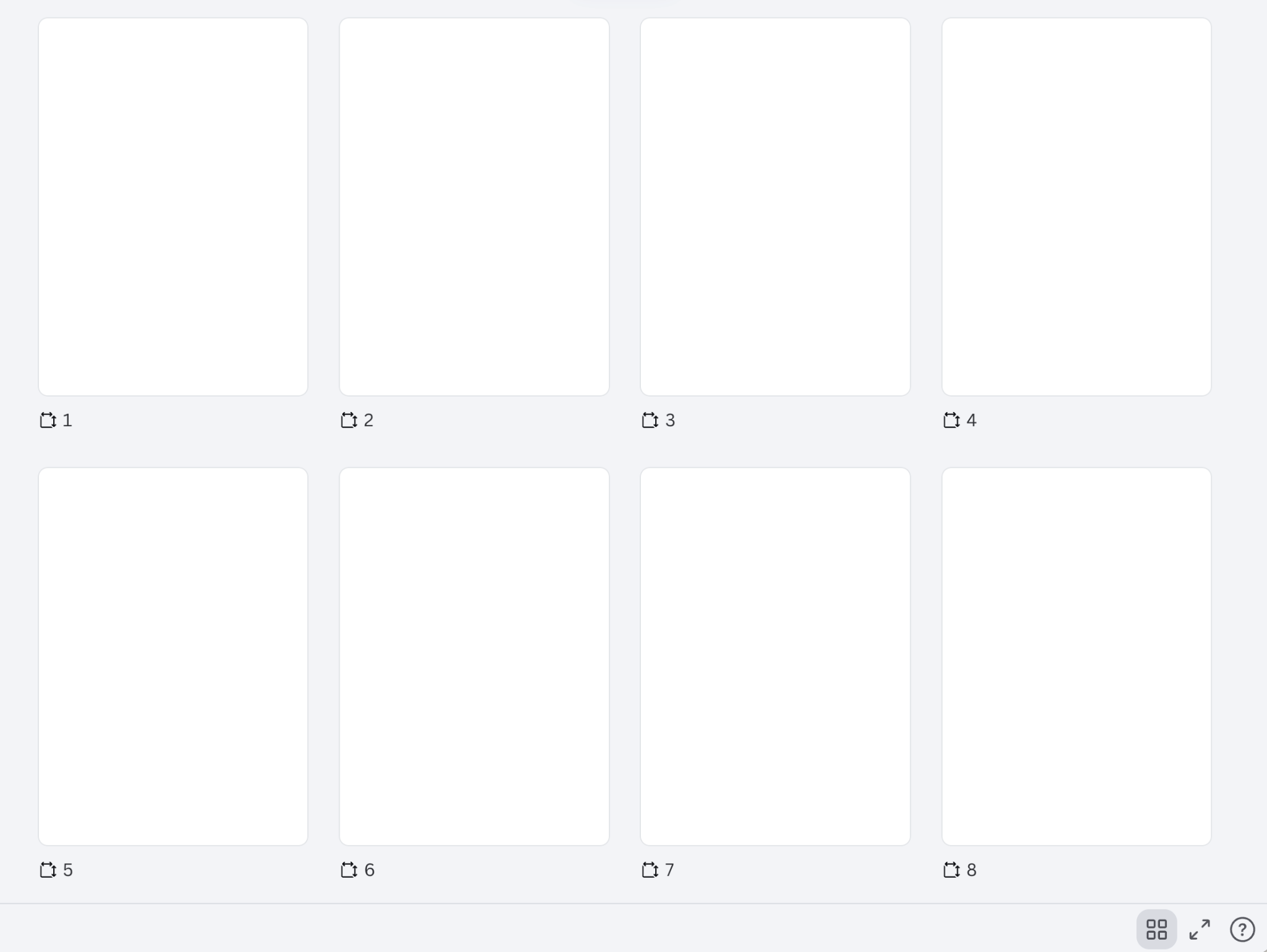
Use Canva Grid View.
At the bottom-right of Canva, click the Grid View button. Then make your browser window smaller or zoom out until all eight pages are visible together, like the example shown here.
Why this view? I need to see the collection as a whole so I can evaluate how the pages work together—not eight separate screenshots.
Finish
Complete all eight pages of Your Name: One Letter at a Time.
Grid View
Click Grid View and adjust your browser until all eight pages are visible at once.
Screenshot
Take one clear screenshot showing the complete eight-page collection.
If I removed my name, would these pages still look like they came from the same designer?
This is your final zoom-out check. Look at the collection as a viewer would. The answer should come from the visual decisions you made—not simply from seeing the same name on every page.
Canva review lesson will live here.
This is separate from the Week 4 design lesson above. The Canva Basics lesson reviews the tool controls that support your design work.